Viewing Open Source Executions
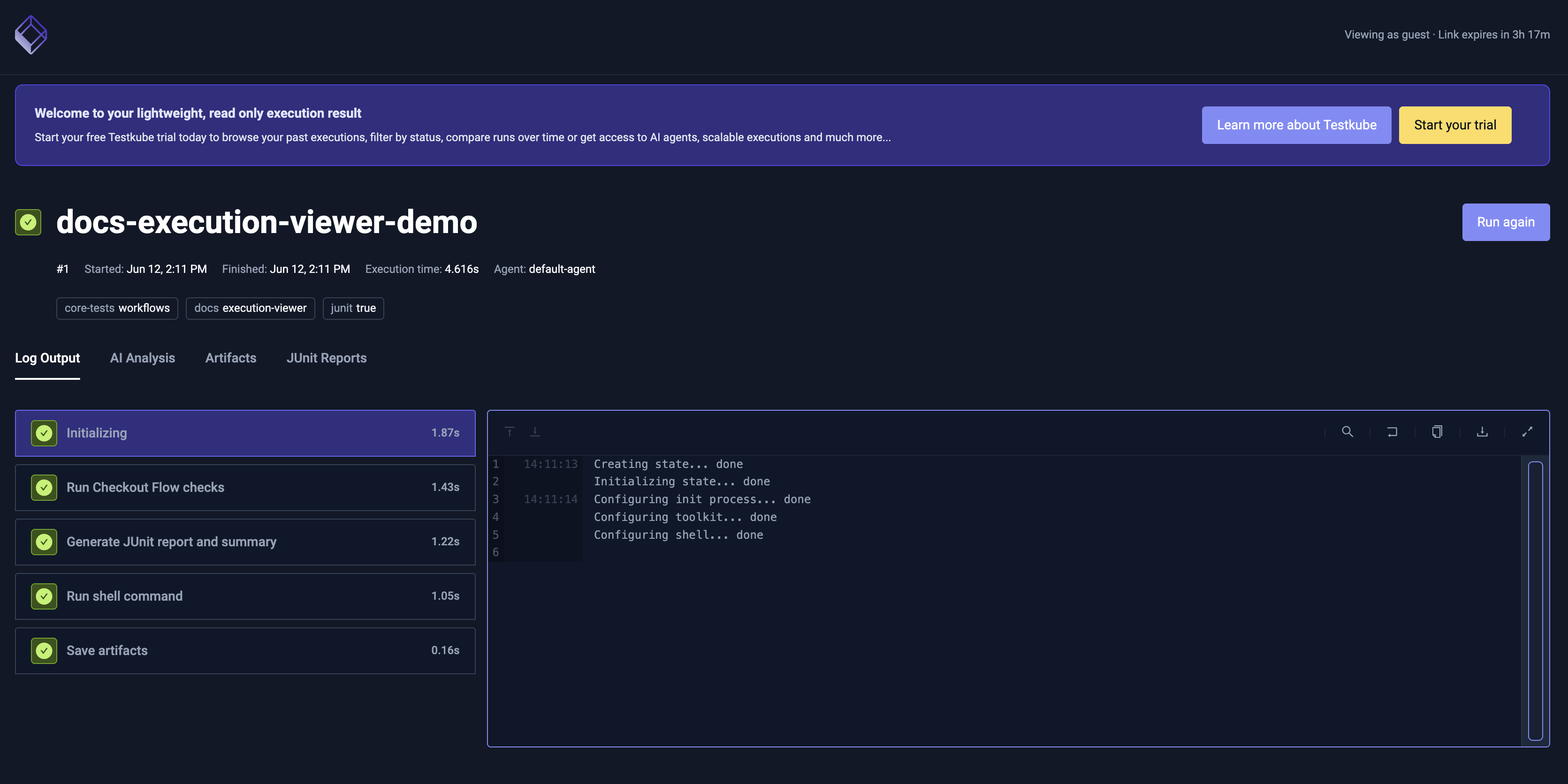
Open Source user can view Workflow execution details (step tree, log output, AI analysis, artifacts, and JUnit reports) in a lightweight dashboard hosted by Testkube, no login or Testkube account required.
Using this feature with a commercial Testkube instance will open the standard Testkube Dashboard for the specified execution instead.
Quickstart
Run the testkube view command from a kubeconfig-connected CLI:
testkube view <executionId|executionName>
The command accepts either the execution UUID or its name (for example my-workflow-12345). It prints a tokenized URL on view.testkube.io and opens it in your default browser.
When the CLI is already connected to a Testkube Cloud / Control Plane context, testkube view opens the execution in the dashboard directly — no upload is performed.
What's in an execution view
An execution viewer page is read-only and includes:
- Execution metadata: workflow name, status, started / finished times, duration, labels, and tags.
- Step tree: the execution's steps with per-step status and duration.
- Log Output: finished execution logs for each step.
- Artifacts: files uploaded by the execution (click to download).
- AI Analysis: an on-demand AI breakdown of the execution, shown once it has finished. Click Analyze with AI to generate a brief with a summary, likely root causes, and suggested fixes. Analyses are limited to 5 per day.
- JUnit Reports: a rendered view of the execution's JUnit test reports. Testkube parses each report into a pass / fail / error / skip summary and lists the suites and individual test cases (including failure messages and attachments); the raw report file can also be downloaded.
Command flags
| Flag | Short | Default | Description |
|---|---|---|---|
--skip-artifacts | false | Upload execution metadata and logs only, skip artifacts. | |
--force | -f | false | Skip the confirmation prompt. |
--wait | -w | false | Wait for the execution to finish before uploading. |
--shares-api-url | https://api.testkube.io | Override the public executions API endpoint. | |
--viewer-url | https://view.testkube.io | Override the viewer base URL. |
Example — view a still-running execution after it completes, without the artifact bundle, and skipping the confirmation:
testkube view my-k6-test-12345 --wait --skip-artifacts --force
Limits
| Limit | Value | Notes |
|---|---|---|
| Execution size | 10 MB | Total for logs and artifacts combined. Use --skip-artifacts to share logs and metadata only. |
| Link lifetime | 4 hours | After this, the viewer returns 410 Gone. |
| Active executions | 50 | Creating a new public execution when you're at the cap evicts the oldest (FIFO). |
| AI Analysis | 5 / day | Daily cap on AI analyses generated from the viewer. |
Privacy and security
- Anyone with the link can view it. The page is public — no login or Cloud account required. Don't open a public execution page for data that's sensitive unless the recipients of the link are trusted.
- Links are time-limited. Each public execution is reachable for a few hours, after which the page returns
410 Gone. - Read-only. The recipient can view the execution but cannot re-run or modify it from the execution page.
Troubleshooting
The upload fails with "bundle too large".
The execution's logs + artifacts exceed 10 MB. Re-run with --skip-artifacts or pick a smaller execution.
testkube view opens the Cloud dashboard instead of generating a public link.
Your CLI is connected to a Testkube Cloud / Control Plane context. In that case the command opens the execution directly in the dashboard — no public execution is created. Switch the CLI context to a standalone (kubeconfig) environment if you want a public link.
The command asks to confirm that the execution data will be made public.
The execution page is reachable by anyone with the link. Confirm only if that's acceptable for your data. Use --force to skip the prompt in scripted environments.