Connected MCP Servers for AI Agents
For an AI Agent to have access to MCP Server(s) to perform its tasks, these MCP Servers need to be connected to the Testkube platform. Once connected, they can be used by an AI Agent as described in Configuring MCP Servers.
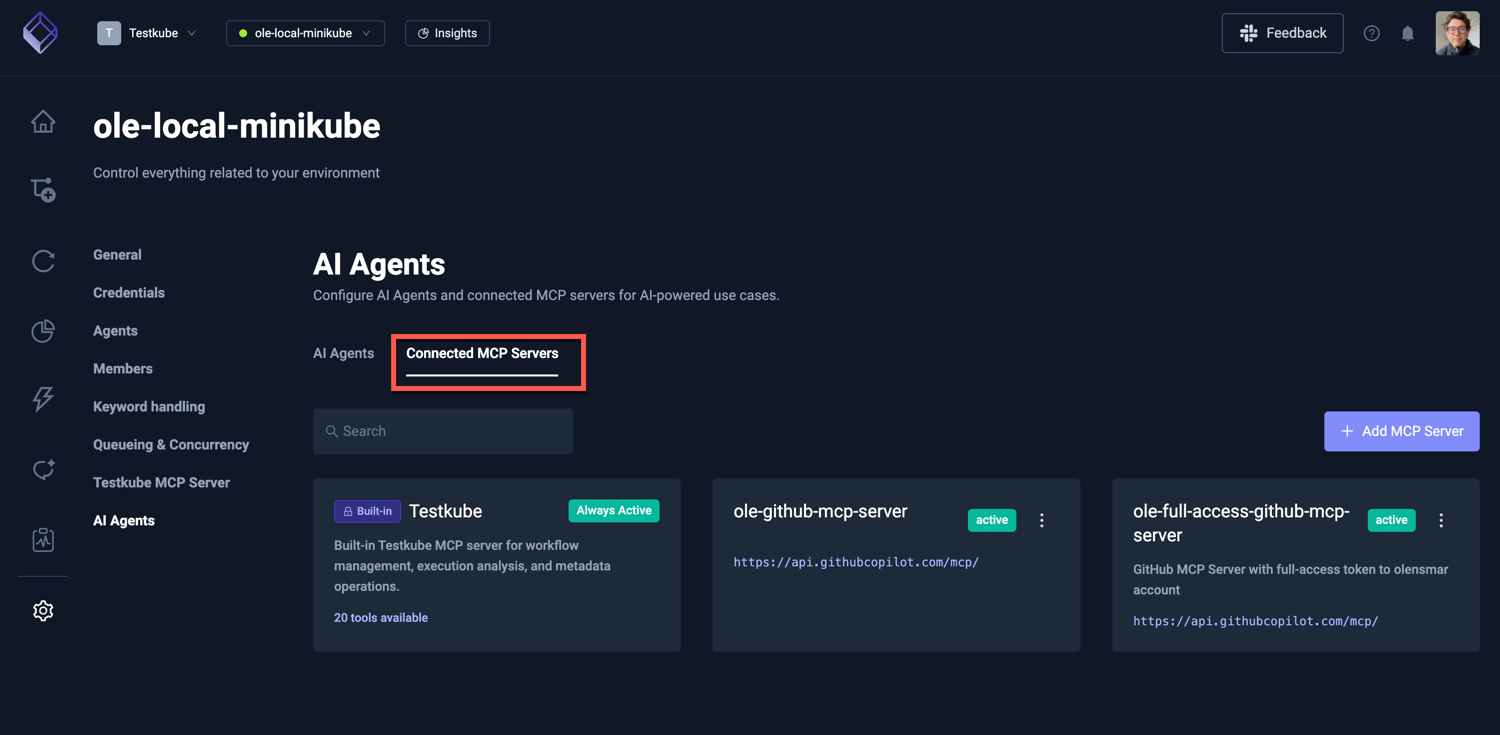
Connected MCP Servers are shown in the Connected MCP Servers panel:
Adding a New MCP Server
There are two ways to add an MCP Server: browse the MCP Server Registry for popular servers, or configure one manually by providing its URL and authentication details.
From the MCP Server Registry
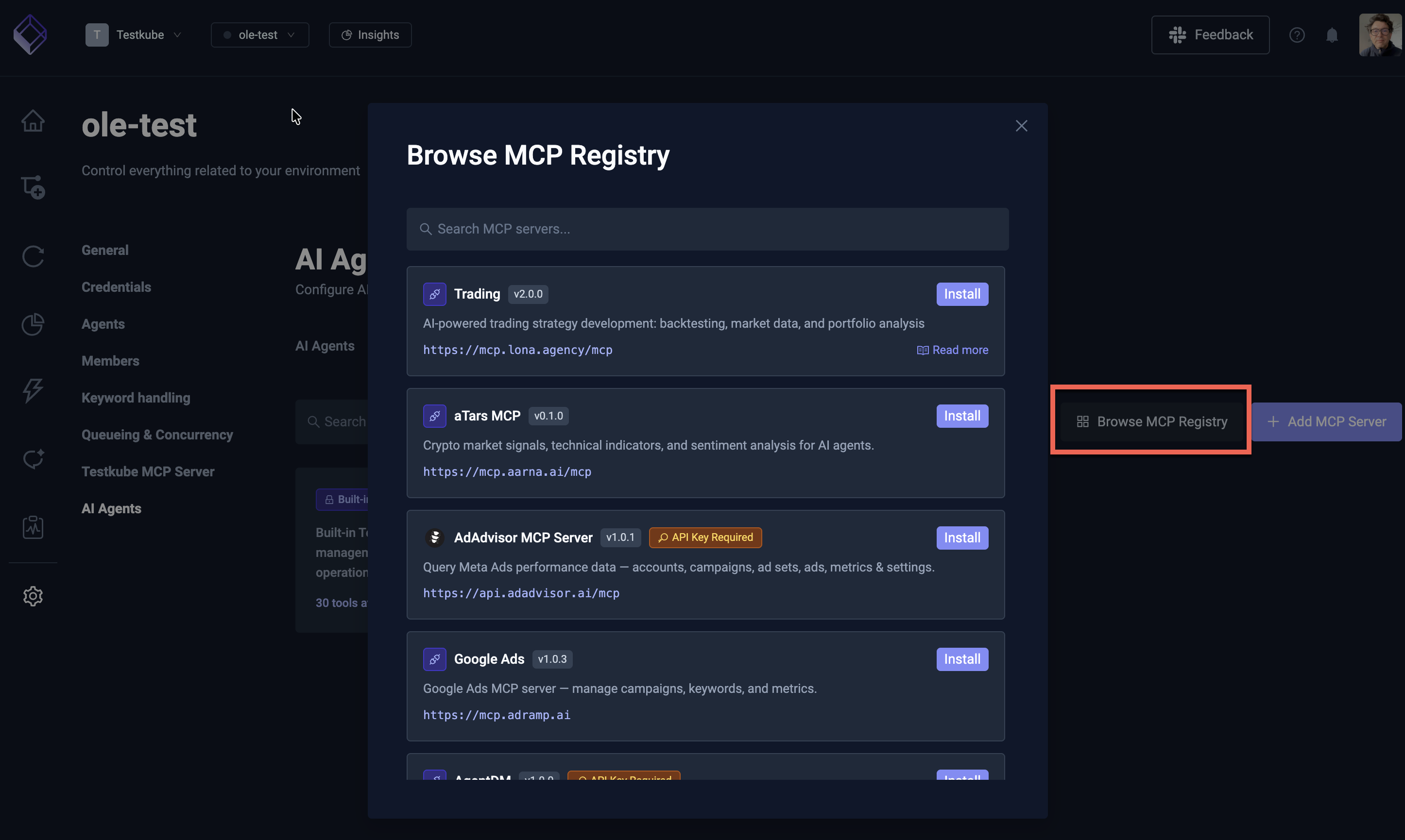
Select the Browse Registry button to open the MCP Server Registry — a curated catalog of popular MCP Servers that you can add with minimal configuration.
Browse or search for the server you need (e.g. GitHub, Slack, Jira, Linear), select it, and follow the prompts to provide the required authentication credentials. The server URL and available tools are pre-configured from the registry entry.
Manual Configuration
Select the Add MCP Server button to configure an MCP Server manually. This is useful for self-hosted servers, internal tools, or servers not yet listed in the registry.
The modal prompts you for:
- Name: the name of the MCP Server
- Description: an optional description of what the MCP Server does and can be used for
- Server URL: the URL of the MCP Server
- Authentication: how to authenticate with the MCP Server (see Authentication below)
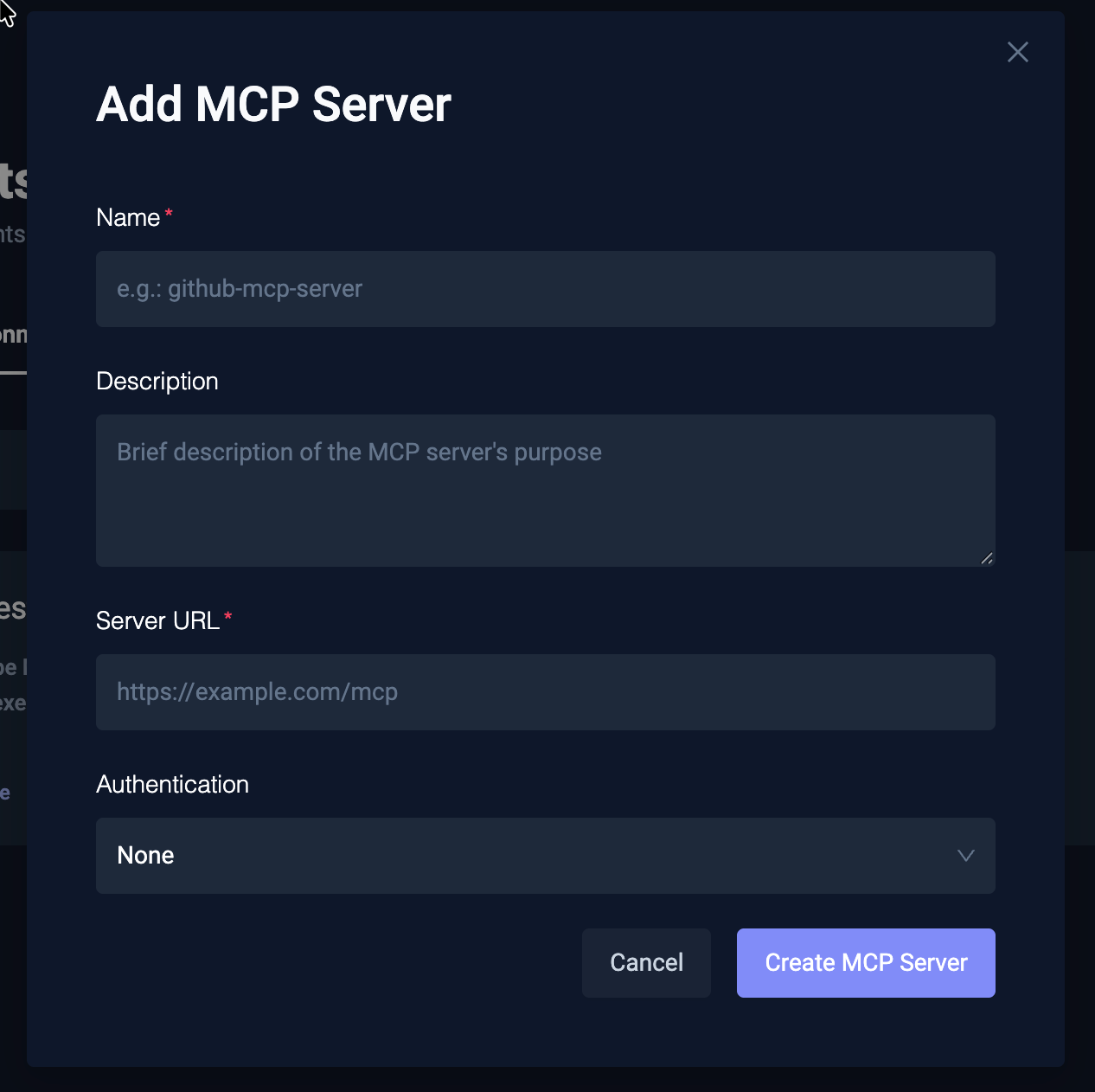
If the provided MCP Server can be accessed successfully, it will be added to the list of MCP Servers for further configuration (see below).
Server URL requirements
The URL must use HTTPS, and its host must not resolve into a private range. Both rules stop someone registering an address that only the Control Plane can reach, such as a cloud metadata endpoint or a service on its internal network.
This rejects the address of a service running in the same cluster, which is typically plain HTTP on a private IP. For self-hosted deployments, name the hosts you trust and only those are exempt:
global:
  trustedHosts:
    - my-mcp.my-namespace.svc.cluster.local
Every other host is still checked, so listing one service does not open up the rest. Set it where you deploy the Control Plane rather than per environment, since it is a decision for whoever runs the cluster.
For self-hosted deployments, if your MCP Server uses a certificate signed by a private CA, configure private CA trust using the Using a private certificate authority (CA) guide.
Authentication
Testkube supports two methods for authenticating with MCP Servers:
Header-Based Authentication
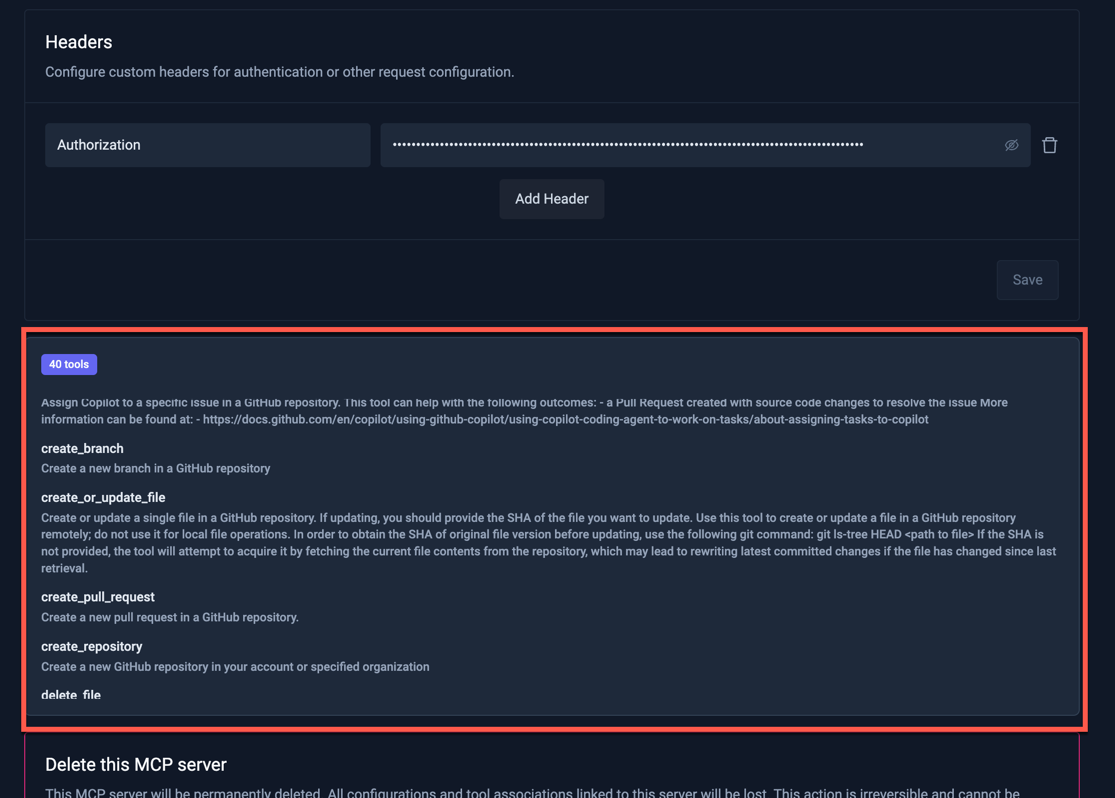
Add custom headers that are sent with every request to the MCP Server. This is the most common method for servers that use API keys or bearer tokens.
For example, to authenticate with the GitHub MCP Server:
- Header name:
Authorization - Header value:
Bearer <your-github-token>
OAuth Authentication
For MCP Servers that support OAuth, you can authenticate using an OAuth flow instead of managing tokens manually. Select OAuth as the authentication method and follow the authorization prompt to grant Testkube access to the MCP Server on your behalf.
OAuth is particularly useful for services where:
- Tokens are short-lived and need automatic refresh
- You want to use your existing user identity rather than a service account token
- The MCP Server provider requires OAuth for API access
Configuring an MCP Server
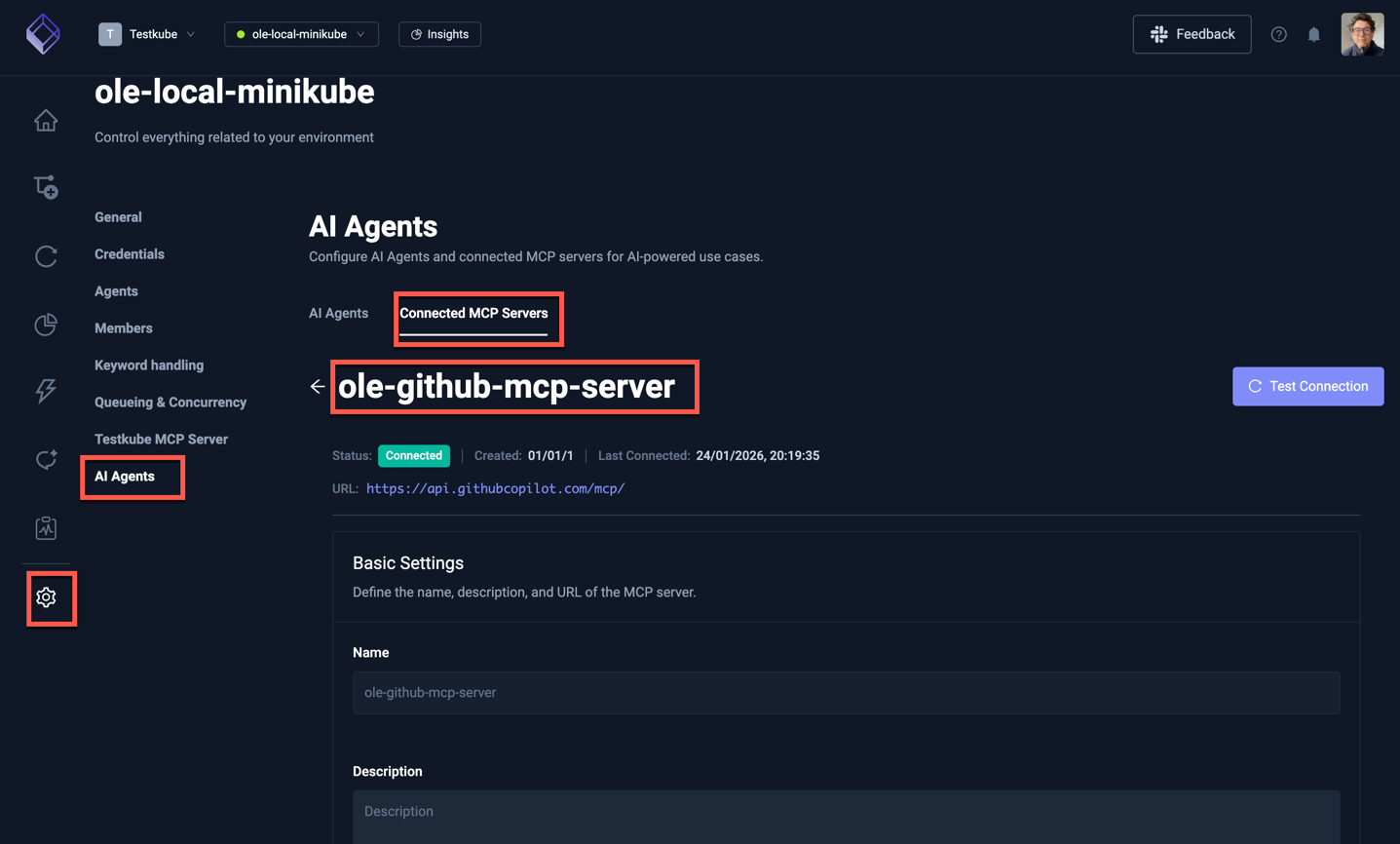
Configure an existing (or newly added) MCP Server by selecting it from the list of MCP Servers. The provided panel has fields for:
- Name (read-only): the name of the MCP Server
- Description: an optional description of what the MCP Server does and can be used for
- Server URL: the URL of the MCP Server
- Authentication: headers or OAuth configuration for authenticating with the MCP Server
- Tools: a list of the tools available in the MCP Server
- Delete: option to delete the MCP Server
MCP Server Tools
The list of tools available in an MCP Server is shown in the "Tools" section of the MCP Server panel. These tools can then be made available to AI Agents as described in Defining AI Agents.
Use Cases for External MCP Servers
Connecting external MCP Servers unlocks powerful cross-tool automation for your AI Agents. For example:
- Kubernetes — Agents can check pod status, node conditions, and deployment health during failure analysis
- Grafana / Datadog — Agents can correlate test failures with application performance metrics
- GitHub / GitLab — Agents can inspect source code, create fix PRs, or correlate failures with recent changes
- Slack / Teams — Agents can post analysis results, incident summaries, or reports to team channels
- Jira / Linear — Agents can create tickets automatically when they detect issues
See Enhancing Agents with External MCP Servers for a full mapping of MCP Servers to agent capabilities, and the Example Agents for concrete examples that use external MCP Servers alongside the built-in Testkube tools.